
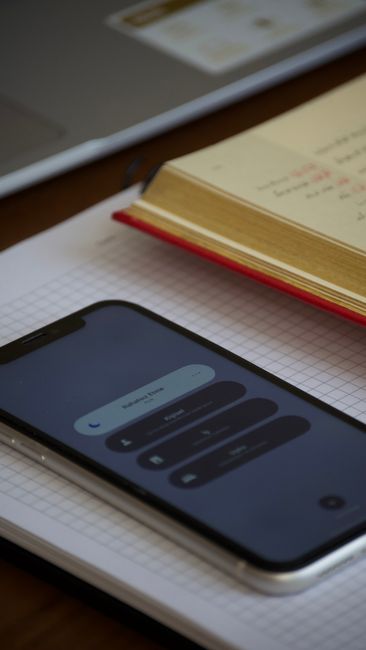
When you start a focus session in LifeQuest, the 25:00 countdown you see on your phone is a helpful visual, but it is not what verifies your progress for full XP. Your actual XP depends on a timer running securely on our server, which tracks the elapsed time from when you started. This server-side timer ensures that even if your phone battery dies or your app crashes, your effort is accurately recorded.
Imagine David, a student balancing a part-time job with his online courses. He schedules a 45-minute focus session for his upcoming econometrics exam. He’s set up his workspace, brewed some tea, and started the LifeQuest focus timer. Twenty-eight minutes into a complex regression problem, his phone screen suddenly freezes. A notification appears: a critical system update has downloaded and demands a restart. David stares at the unmoving screen, a cold dread rising. He just lost 28 minutes of documented study, didn't he? All that effort, that focus, now gone. The clock on his phone hadn't paused; it had just stopped. He feels a familiar frustration, the kind that makes him want to put the phone down and walk away. But then he remembers.
Why Your Phone's Timer Isn't the True Source
Many apps that track focus time rely entirely on your device's internal clock. While convenient, this approach is vulnerable. What happens if your app closes unexpectedly, or your device goes to sleep, or as in David's case, a system update forces a restart? Most device-side timers would simply lose that data, or worse, keep counting as if you were still working, turning a genuine effort into something unverifiable.
For full XP in LifeQuest, we need to know you genuinely spent the time. That means the timer must operate independently of your device's state. When you begin a focus session, our server logs the start time. When you finish, it logs the end time. The duration it counts is the actual elapsed time between those two server timestamps. Your phone merely displays a projection of that server-controlled countdown. This core distinction is key to LifeQuest Focus Sessions: Why a Dead Phone Does Not Stop the Server Timer.
The Server's Record: Unaffected by Device Disruptions
So, what happened to David's 28 minutes? After his phone restarted, he reopened LifeQuest. Instead of a reset timer, he saw a notification that his focus session had been running in the background. "You were away for 2 minutes 15 seconds," the app noted, "nothing paused." The timer continued counting down from where the server knew it to be, not where his phone thought it was. He was able to complete the remaining 17 minutes of his session, and upon finishing, he received full XP for his entire 45 minutes.
This means David can trust that his study time counts, regardless of unexpected interruptions on his device. The server doesn't care about a frozen screen or a low battery; it just measures the passage of time. The experience remains consistent whether you're using the Android app or the browser/PWA version. The server provides the authoritative record of your effort. This approach lets you track real-world progress without needing to worry about the unpredictable nature of mobile devices.
The Goal: Documented Effort, Not Perfect Attention
It is important to clarify what the server-timed focus session verifies. It proves that a specific amount of time elapsed between your start and end points. It does not prove you maintained perfect attention throughout, nor does it guarantee the quality of your learning or work. Those are internal experiences that no external timer, server-side or otherwise, can measure.
The goal of the focus timer for full XP is to provide a robust, verifiable record of effort. This differentiates it from a simple "done" checkbox, offering a higher tier of evidence for your progress. It's about recognizing the time you dedicate to a task, knowing that this dedication, when consistently applied, leads to real-world skill growth.
Comments
No comments yet.